TradingView IndicatorFree to Use
Liquidity Sweep Hunter Algo
Free TradingView Indicator by AlgoAlpha — Smart Money & Liquidity
Liquidity Sweep Hunter Algo identifies liquidity highs and lows across three different lookback periods and keeps them active until they are mitigated. This creates a persistent view of where resting liquidity has formed instead of only showing the latest swing points.
69.9kviews
5.8kboosts
2026-07-28published
Best for
Reversal setupsMomentumSmart moneyLiquidityBuy/sell signals
Works on
CryptoForexStocksIndices
What is Liquidity Sweep Hunter Algo?
Liquidity Sweep Hunter Algo identifies liquidity highs and lows across three different lookback periods and keeps them active until they are mitigated. This creates a persistent view of where resting liquidity has formed instead of only showing the latest swing points.
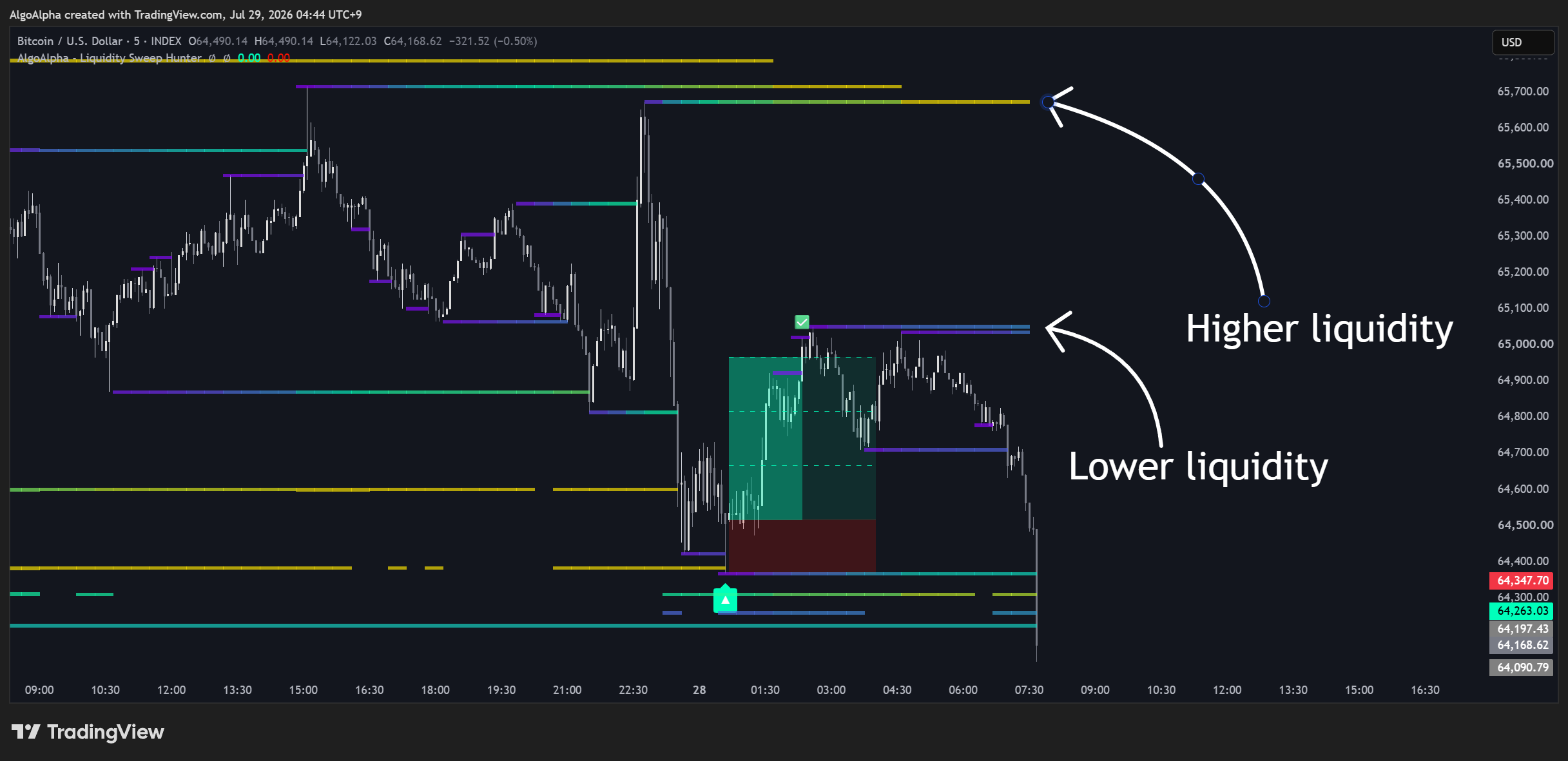
The indicator also displays a heatmap that highlights the relative strength of active liquidity levels and generates reversal signals after price sweeps multiple visible liquidity bands before reclaiming them. Optional trade drawings project a stop loss, reward target, and intermediate target levels directly on the chart.
Liquidity Sweep Hunter Algo Features
Liquidity Heatmap
Displays active liquidity levels using a colour gradient that reflects their relative strength.
TradingView Snapshot
Multi-Level Sweep Signals
Plots bullish and bearish reversal labels after confirmed liquidity sweep and reclaim events.

TradingView Snapshot
Trade Projection Boxes
Draws entry, stop loss, reward zone, and target milestone levels after each signal.

TradingView Snapshot
Trade Progress Display
Fills the target area as price reaches successive target levels and marks completed trades with a check mark.


TradingView Snapshot
TradingView Snapshot
How Liquidity Sweep Hunter Algo Works
• Liquidity Level — A price extreme detected from fast, medium, and slow lookback windows. Matching levels are merged so nearby highs or lows are treated as the same liquidity area.
• Liquidity Heatmap — A visual strength map where colour represents the relative strength of each active liquidity level compared to the other visible levels.
• Multi-Level Liquidity Sweep — A reversal condition where price sweeps at least two visible liquidity bands and then closes back beyond the reclaim level within a limited number of bars. An optional strength filter can require the swept levels to exceed a minimum average strength.
How to Use Liquidity Sweep Hunter Algo
• Watch the heatmap to identify where stronger liquidity has accumulated around current price.
• Wait for a bullish or bearish sweep signal after price clears multiple liquidity bands and reclaims the area.
• Use the optional trade projection as a visual reference for the calculated stop loss, reward target, and target milestones.
• Increase the lookback values to focus on broader liquidity zones or decrease them to detect more local levels.
• Adjust the sweep strength filter if you want signals only when stronger liquidity zones are involved.
More Smart Money & Liquidity Indicators
Explore other smart money & liquidity TradingView indicators by AlgoAlpha.
Add this indicator to your chart.
Liquidity Sweep Hunter Algo is free to use on TradingView. Add it to any chart in seconds.