No-Code Strategy Backtesting.
Test before you risk a dollar.
Strategy Builder lets you build, combine, and backtest trading strategies using signals from any TradingView indicator — no Pine Script, no code, no guesswork.
5conditions per trigger
4trigger types
0lines of code
Three steps from idea to proven strategy.
Connect signals from any TradingView indicator, build entry and exit rules using visual AND/OR logic across up to 5 sequential steps, and run the backtest — all without writing a single line of code.
- Link plots from SSA, ILPAC, MC, or any third-party indicator
- AND, OR, AND NOT logic gates across 5 sequential conditions
- Define entry, take-profit, and stop-loss triggers separately
- One-click backtest runs the full historical simulation

Read the backtest report
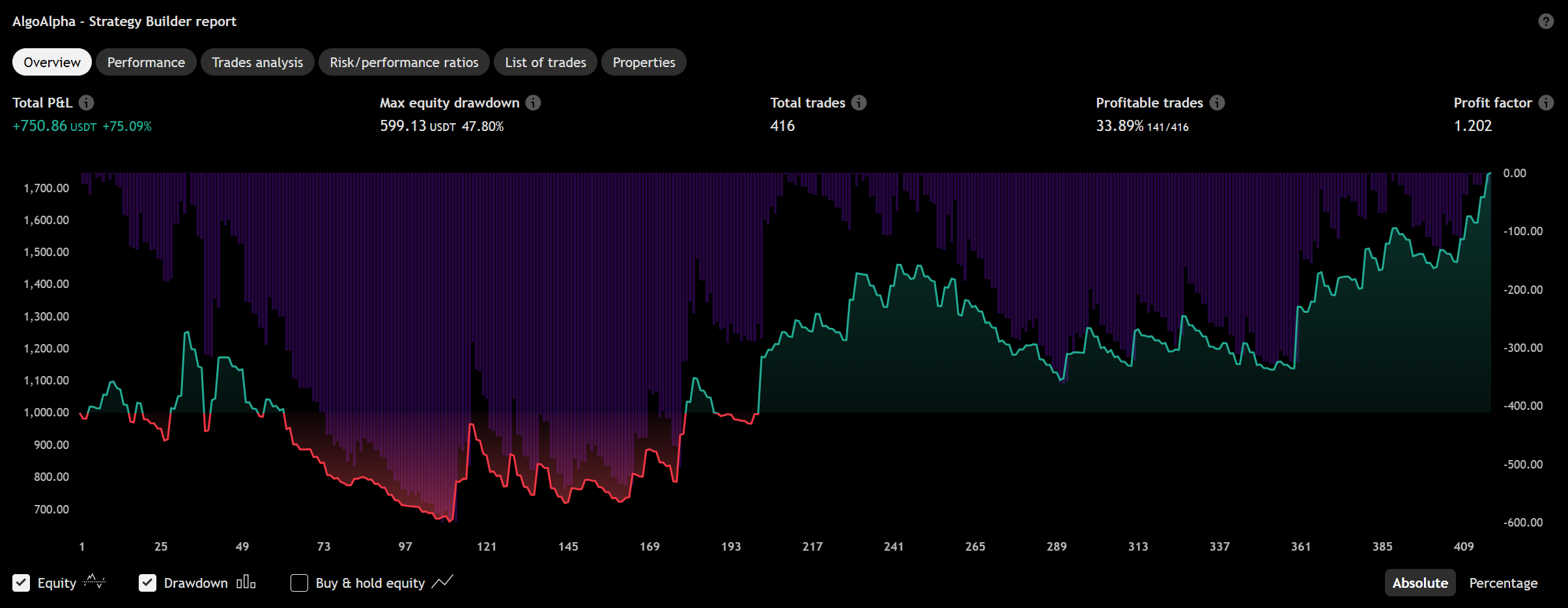
Open Strategy Tester to see the equity curve and drawdowns for your rules over the dates you tested.
- Compare net P&L with the largest drawdown.
- Check the trade count, profitable trades and profit factor.
- Open the trade list to review individual entries and exits.
Simulate leverage. Including liquidation.
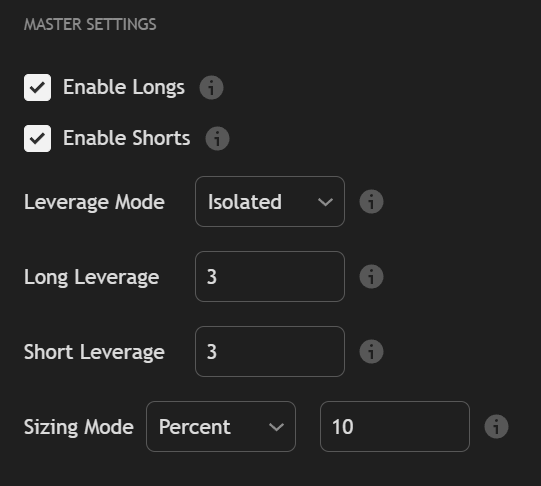
Strategy Builder simulates margin trading by calculating exact position sizes based on your leverage, including realistic liquidation prices. Know your worst-case outcome before the trade.
- Cross and isolated margin modes supported
- Liquidation price calculated and shown per trade
- Multiple allocation methods — fixed, percentage, or Kelly criterion
- Flip condition: automatically reverses into opposite trade
Prove your strategy before going live.
Strategy Builder is available with all Indicators plan subscriptions.