TL;DR — what the saved strategies feature does
Atlas now lets you save any chat-surfaced backtested strategy to a dedicated dashboard. Each save is identified by its trade conditions, and Atlas re-checks it weekly against a refreshed strategy database. Strategies that still pass the quality filters are labeled Current; those that drop out are flagged Deprecated.
Why saving a backtested strategy isn't enough on its own
A backtest is a point-in-time snapshot, and the market it was tested against keeps moving. Saving a result without re-validating it is how stale strategies leak into live capital allocation.
The strategy decay problem
Definition — alpha decay: the gradual erosion of a strategy's excess return as the inefficiency it exploits is arbitraged away or the underlying market regime shifts (Di Mascio, Lines & Naik).
Many backtests were never robust to begin with. The Probability of Backtest Overfitting framework (Bailey, Borwein, López de Prado & Zhu, 2014) shows that when enough configurations are tested, the best-looking one is usually fitting noise. The Deflated Sharpe Ratio (Bailey & López de Prado) was built for the same reason — to discount a Sharpe figure by how much selection bias produced it.
The practical implication: a strategy that backtested well last month may not survive a refreshed test this month, either because the regime moved or because the original result was less robust than it looked.
What does it mean when a backtested strategy is deprecated?
A backtested strategy is deprecated when the exact combination of trade conditions is no longer present in the most recent weekly rebuild of Atlas's strategy database. The original metrics stay visible but frozen, so you can see what the strategy used to look like without acting on numbers the latest quality filters would now reject.
A Deprecated tag in Atlas means one of three things:
- The strategy's recent out-of-sample performance dropped below Atlas's quality thresholds.
- Its Monte Carlo permutation p-value no longer clears the significance gate.
- The instrument/timeframe set was rebuilt and this specific condition combination didn't re-emerge in the top-ranked set.
Definition — deprecated strategy (Atlas): a saved strategy whose exact trade conditions did not survive the latest weekly rebuild of the strategy database; its snapshot metrics are preserved but flagged as no longer validated.
How to save a strategy in Atlas
Saving a strategy takes one click from any backtested result card returned in chat. The save is tied to your account and identified by its trade conditions, so re-saving the same setup updates the existing entry instead of creating duplicates.
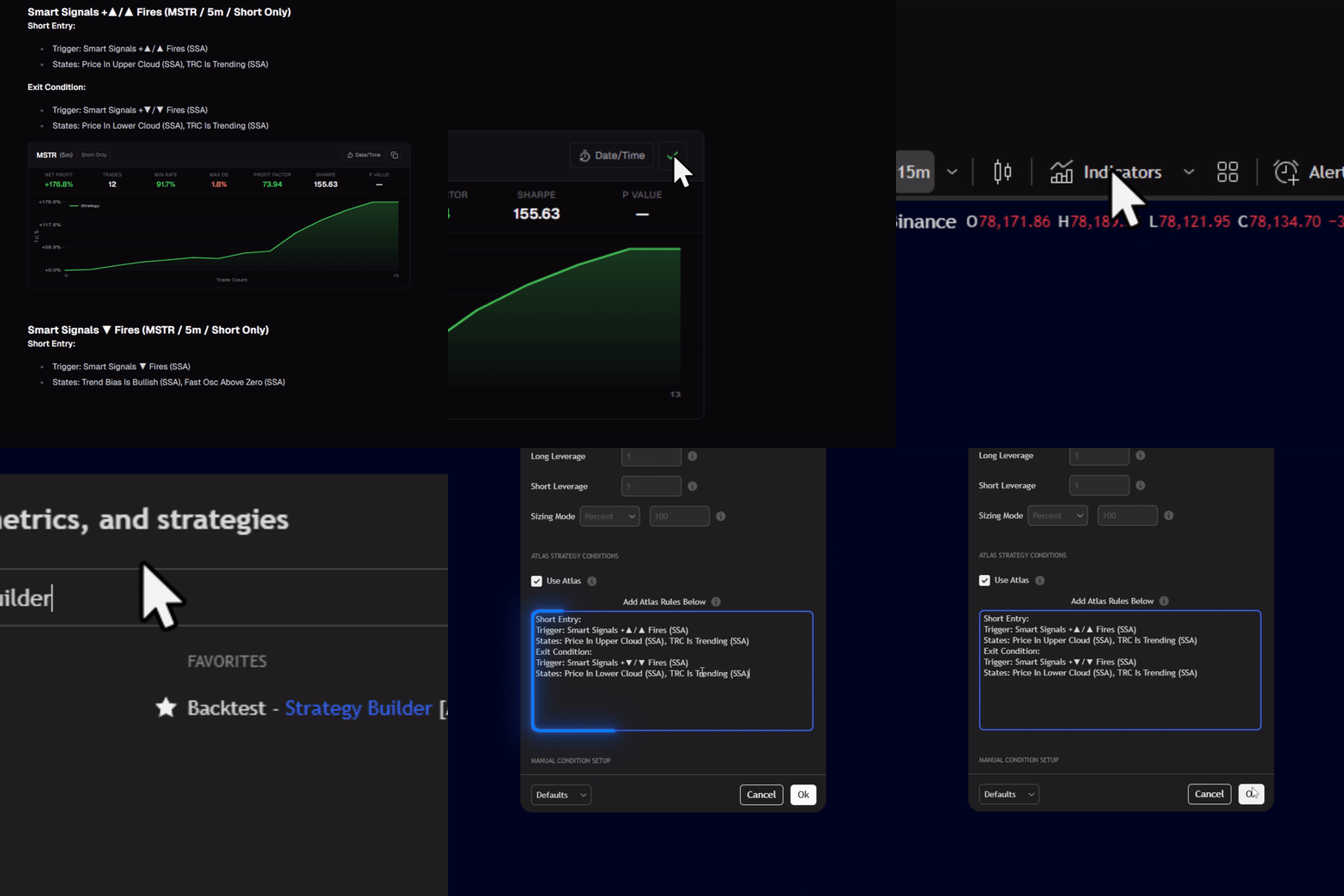
- Open Atlas — see accessing Atlas if you haven't yet — and ask for a strategy (e.g., "Find a long setup on BTCUSDT 1h using SSA and ILPAC"). For phrasing that returns better results, see prompting tips.
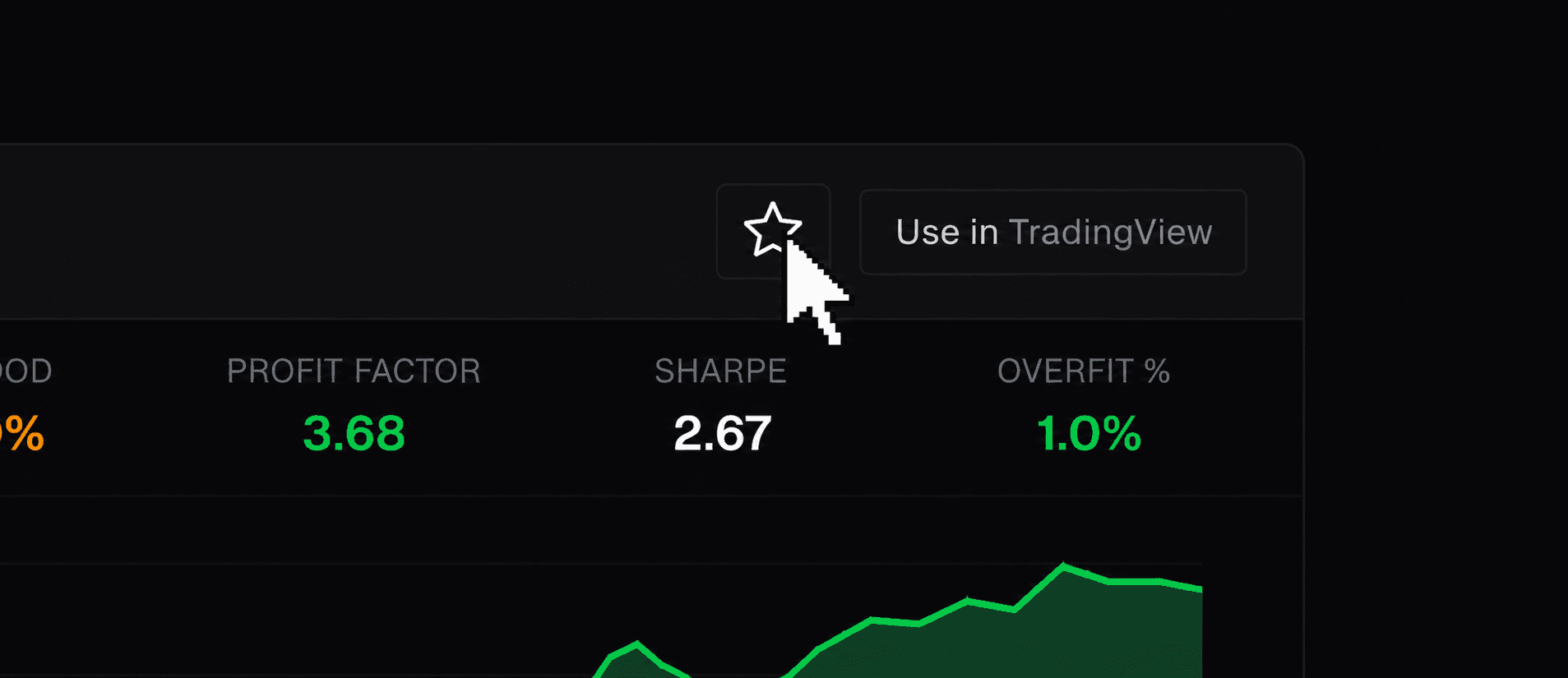
- In the returned strategy card, click the star icon.
- Re-saving the same asset, timeframe, direction, and entry/exit conditions updates the existing entry rather than creating a duplicate — no matter how the request was phrased in chat.
- Atlas snapshots the metrics at save time: net profit, win rate, Sharpe, profit factor, max drawdown, total trades, MCPT p-value, quality score, quality tier, and equity curve.
- Open the Saved Strategies dashboard to see it listed alongside everything else you've starred.
The saved strategies dashboard, explained
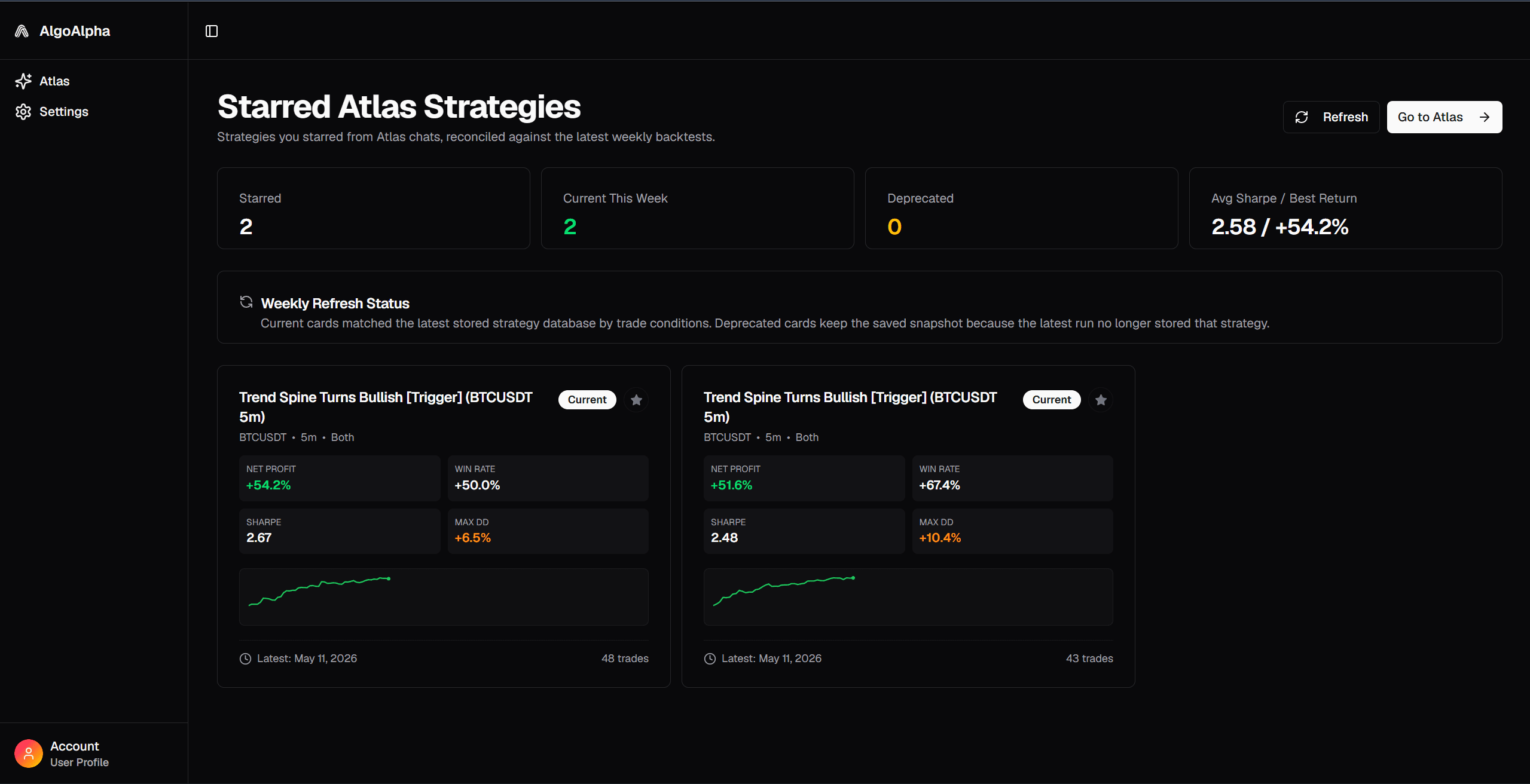
The dashboard lists every strategy you've starred, most recently updated first. Each row shows the asset, timeframe, direction, the snapshotted metrics, and a status badge checked against the latest weekly database.
Current vs deprecated status
| Status | What it means | Snapshot behavior |
|---|---|---|
| Current | The exact set of trade conditions still appears in the latest weekly strategy database. | Metrics refreshed to the latest values. |
| Deprecated | The conditions are no longer present in the refreshed database. | Last-known snapshot preserved; metrics frozen. |
Weekly re-validation against quality filters
Atlas's strategy database is rebuilt weekly. When you open the dashboard, every saved strategy is re-checked against the latest build, so the status always reflects the most recent rebuild with no manual refresh required. For details on how the underlying backtest pipeline works, see backtesting configurations.
Metrics tracked at save time vs refreshed live
| Metric | Saved at first save | Refreshed when Current | Frozen when Deprecated |
|---|---|---|---|
| Net profit | Yes | Yes | Yes |
| Win rate | Yes | Yes | Yes |
| Sharpe | Yes | Yes | Yes |
| Profit factor | Yes | Yes | Yes |
| Max drawdown | Yes | Yes | Yes |
| Total trades | Yes | Yes | Yes |
| MCPT p-value | Yes | Yes | Yes |
| Quality score / tier | Yes | Yes | Yes |
| Equity curve | Yes | Yes | Yes |
How Atlas decides a strategy is still "Current"
Atlas decides a saved strategy is Current by checking whether the exact same trade conditions still appear in the most recent weekly rebuild. Re-validation is exact, not fuzzy — the same conditions must survive the same quality gates as any new candidate.
Two strategies count as the same when their asset, timeframe, direction, and entry/exit conditions match — regardless of how the request was originally phrased in chat. See Atlas's signal and conditions reference for the conditions available.
A strategy is Current only if that exact condition set re-emerges from the weekly rebuild after the quality filters run. Those filters include:
Definition — Monte Carlo permutation test: a non-parametric significance test that shuffles the return sequence many times to build a null distribution; the real backtest's edge is significant only if it meaningfully beats the permuted distribution (QuantInsti walk-forward and robustness overview).
- A Monte Carlo permutation test on log returns. If shuffling the return sequence destroys the edge, the strategy fails the gate.
- The same quality-score thresholds applied to every other strategy in the database.
If those gates fail in a given week, the strategy drops out of the rebuilt database and your save flips to Deprecated.
What to do when a saved strategy is marked Deprecated
A Deprecated flag is a signal to re-investigate, not a verdict that the idea is dead. Most decay shows up in a narrow window, and many deprecated strategies have a close variant that still clears the gates.
- Ask Atlas for a variant. Loosening or tightening one condition often reproduces the edge.
- Check the instrument-level state. Sometimes a single instrument dropped while the same condition set still works on related markets.
- Compare snapshot vs. recent performance. If Sharpe collapsed but drawdown didn't, regime shift is more likely than overfitting.
- Deploy a near-variant to TradingView. Once you find a Current substitute, follow deploy strategies to TradingView to take it live.
- Don't delete the entry. The frozen snapshot is its own audit log — useful for reviewing why you stopped trading something.
How Atlas compares to other saved-strategy workflows
Most strategy tools save something; almost none re-validate the saved artifact against a fresh edge test.
| Tool | What gets saved | Re-validated against fresh results? | Decay signal |
|---|---|---|---|
| Atlas | Strategy result + trade conditions + metrics snapshot | Yes — weekly, by trade conditions | Current / Deprecated flag |
| TradingView Strategy Tester | Chart layout and indicator settings | No | None |
| QuantConnect | Algorithm code | No — user re-runs manually | None |
| Composer | Symphony allocation | Re-runs allocation, not edge validation | None |
| Trade journals (TradeZella, Tradervue) | Executed trade journal | No — journals executed trades, not vetted-but-unexecuted strategies | None |
The last row is the gap most retail traders miss: trade journals track what was done. Atlas tracks what's still worth doing.
Key takeaways
- Atlas saves backtested strategies by their exact trade conditions, not by name or chart layout.
- The strategy database is rebuilt weekly, and every saved strategy is re-checked against that build on dashboard load.
- Strategies that survive the rebuild are tagged Current with refreshed metrics; those that drop out are tagged Deprecated with frozen metrics.
- A Deprecated flag points to one of three causes: weakened out-of-sample performance, a failed Monte Carlo permutation p-value, or a rebuilt instrument set where the condition didn't re-emerge.
- Unlike chart-layout savers and trade journals, Atlas tracks whether the underlying edge still holds, not just whether the artifact still exists.
FAQ
What is the saved strategies feature in AlgoAlpha Atlas?
A dashboard where users can save any backtested strategy that Atlas surfaces in chat. Each saved strategy is identified by its trade conditions, snapshotted with its metrics at save time, and re-checked weekly against the refreshed strategy database — so you always know whether the strategy still passes the latest quality filters.
What does a Deprecated status mean on a saved strategy?
The saved strategy's exact trade conditions did not survive the most recent weekly rebuild of Atlas's strategy database. The original snapshotted metrics remain visible but frozen. It signals that either the strategy's recent performance, its Monte Carlo permutation p-value, or its instrument/timeframe re-ranking failed Atlas's quality gates.
How does Atlas identify whether two strategies are the same?
Two strategies are treated as the same when their asset, timeframe, direction, and entry/exit conditions match — regardless of formatting, ordering, or how the request was phrased in chat. Re-saving an equivalent setup updates the existing entry instead of creating a duplicate.
How often does Atlas re-validate saved strategies?
Weekly. The underlying strategy database is rebuilt once per week using the same quality filters applied to every new candidate, including a Monte Carlo permutation p-value gate. When you open the dashboard, all of your saved strategies are checked against the latest build.
Should I delete a saved strategy once it is marked Deprecated?
Not automatically. A Deprecated flag indicates the edge no longer clears Atlas's current quality filters, but the frozen snapshot is useful as an audit log of why a strategy was once worth trading. A more productive next step is asking Atlas for a variant, checking related instruments, or comparing the snapshot to recent performance to diagnose regime shift versus overfitting.
Want to try it? Open Atlas and run your first strategy search. New to Atlas? Start with the accessing Atlas guide and the usage limits page.