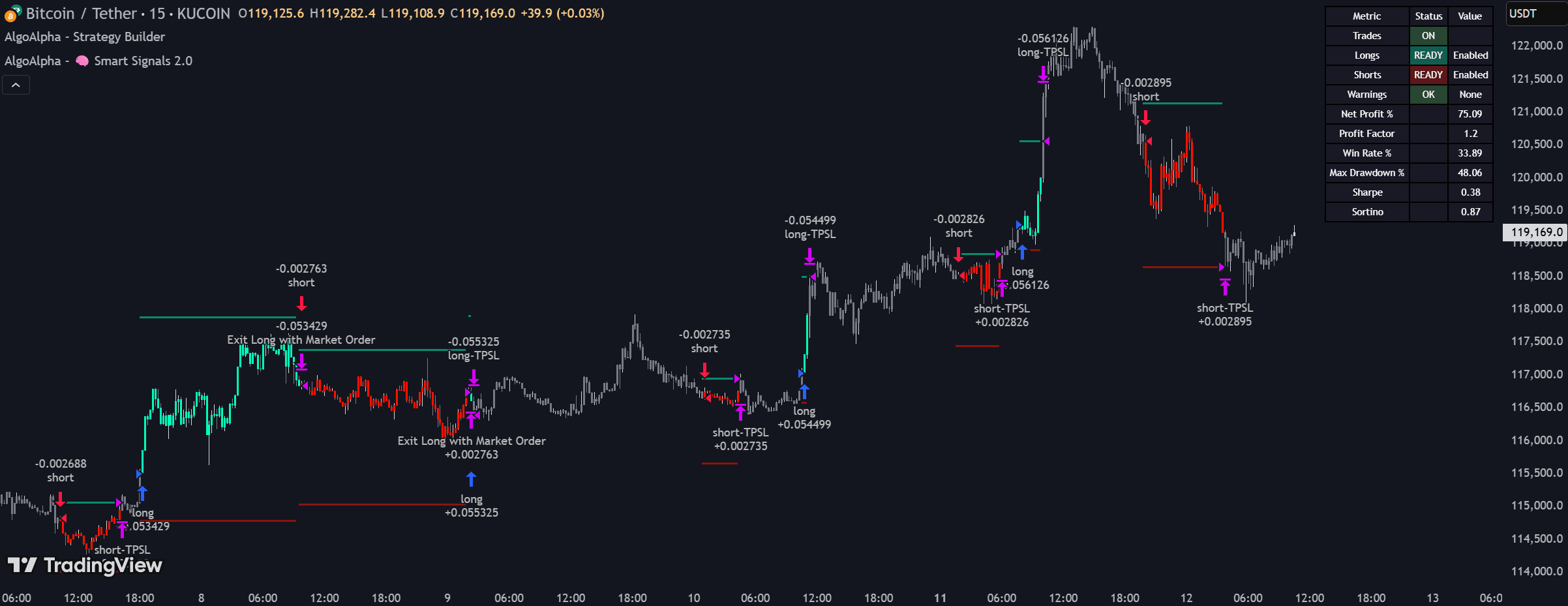
TL;DR: In 2026 the best backtesting tool depends on how you work. AlgoAlpha's Backtest Strategy Builder is the strongest no-code option for TradingView users; TradingView's native tester is the best all-rounder for access and data; QuantConnect is the top pick for developers who want tick-level accuracy; TrendSpider suits pattern-based technical traders; and FX Replay is best for manual forex practice. Full comparison and how to choose below.
Disclosure: AlgoAlpha makes the Backtest Strategy Builder listed first. We've included the strongest independent alternatives alongside it and matched each tool to the use case it genuinely fits best — pick the one that matches how you trade, not the one with our name on it.
Quick comparison
| Tool | Best for | Coding required | Standout strength |
|---|---|---|---|
| AlgoAlpha Backtest Strategy Builder | No-code TradingView users | None | Visual multi-condition logic + leverage/liquidation modeling |
| TradingView Strategy Tester | Broad access & quick experiments | Light (Pine for advanced) | Huge market/data coverage + bar replay |
| QuantConnect | Developers / quants | Python or C# | Raw tick data + realistic execution (slippage & fees) |
| TrendSpider | Technical / pattern traders | None | Automated trendline & pattern backtesting |
| FX Replay | Manual forex practice | None | Realistic, bar-by-bar session simulation |
How we evaluated these tools
A backtest is only as trustworthy as the engine behind it. We judged each tool on the things that decide whether results survive contact with a live market:
- Execution realism — does it model spreads, commissions, and slippage? Without these, a "profitable" strategy can be a losing one.
- Logic flexibility — can you combine conditions with AND/OR rules across different data types?
- Data quality — tick data vs. 1-minute bars, and how far back the history goes.
- Honest metrics — beyond win rate: max drawdown, profit factor, and the Sortino ratio (return relative to downside volatility).
- Guardrails — protection against look-ahead bias and repainting, the two most common sources of fantasy results.
- Cost and learning curve.
The practical role of backtesting
Backtesting runs a strategy against historical data to show how it would have performed. In a market driven by algorithms, trading on intuition alone is risky — reliable testing shows you the maths behind your wins and losses, and seeing how a method handled past crashes builds the discipline to stay calm in future drawdowns. It is a necessary filter, not a guarantee: past performance never promises future results.
1. AlgoAlpha Backtest Strategy Builder — best for no-code
The AlgoAlpha Backtest Strategy Builder for TradingView lets traders build complex logic without learning Pine Script. It works as a modular framework where you stack rules visually.
- Sequence-based logic: up to five steps for an entry — e.g. a trade only triggers if an RSI level is met, then a volume spike, then a specific candle close.
- External indicator links: it can pull signals from other indicators on your chart and combine them into one report.
- Realistic margin simulation: it tracks cross and isolated leverage and models liquidation prices — vital for crypto and forex.
- Accuracy checks: built-in safeguards against repainting and look-ahead bias, which distort results in basic tools.
Best for the large group of traders who live on TradingView and want advanced, multi-condition systems without code.
2. TradingView — best overall access
TradingView is where most traders start, and its native Strategy Tester is great for fast experiments.
- Broad market access: test on global stocks, forex, and crypto with high-quality data.
- Manual practice: Bar Replay lets you click through history candle-by-candle to rehearse discretionary trades.
- Community resources: thousands of open-source scripts to test and modify.
- Consideration: advanced multi-condition logic usually needs Pine Script — unless you layer a no-code builder on top.
3. QuantConnect — best for developers
For traders comfortable with Python or C#, QuantConnect offers an environment that mirrors institutional desks.
- Granular data: raw tick data rather than just 1-minute bars, for a more accurate view of price.
- Lean execution engine: simulates slippage and fees so paper results track real execution.
- Asset variety: multi-asset strategies, such as using bond yields to time stock entries.
4. TrendSpider — best for technical analysis
TrendSpider is built for traders focused on chart geometry and price-action patterns.
- Visual strategy explorer: build strategies by clicking chart elements instead of typing formulas.
- Automated trendlines: test how specific trendlines or Fibonacci levels performed historically.
- Multi-timeframe analysis: check a daily trend while hunting entries on a 15-minute chart.
5. FX Replay — best for manual forex practice
FX Replay recreates the feel of a live session for discretionary practice. Rather than automating logic, it lets you trade through historical data bar-by-bar to drill execution, journaling, and risk management — the closest thing to live screen time without risking capital.
Summary: choosing your platform
- TradingView users: use AlgoAlpha to build advanced systems without code.
- Python coders: use QuantConnect for high-fidelity, tick-level data.
- Technical chartists: use TrendSpider for pattern-based automation.
- Manual forex practice: use FX Replay to simulate a live session.
Whichever you choose, judge a strategy on realistic execution and downside metrics — not a headline win rate — and remember that a backtest describes the past, not the future.